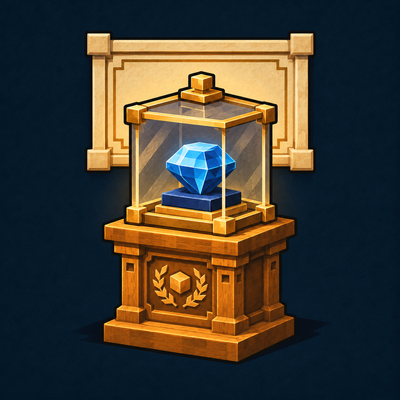
Placing and retrieving an exhibit
Use a held item on an empty stand to insert one. Use an empty hand to retrieve it. An occupied stand keeps its exhibit until you remove it. In Creative the original held item stays in your hand when placing an exhibit.
Use hoppers to insert or extract the one displayed item. A hopper can display a builder tool while keeping its normal use-on-block action available in your hand. Buckets retain their normal waterlogging interaction. Sneak-use with an empty hand or use the mallet to rotate the display.
A displayed item's data survives saving and reloading. Breaking the stand drops its contents. The decorative Display Plinth in Crafted Interiors has a different registry ID and serves as an architectural prop.
Installation and edition
This guide describes Gallery 0.1.0 as bundled in Grand Workshop Complete 0.9.1 for Minecraft Java 26.3. Installing Complete with matching Fabric API supplies this collection on client and server.
A modular installation pairs the matching collection with Grand Workshop Core. This collection declares a minimum Core version of 0.7.0-dev.1. Keep the same collection installed when reopening a world that uses it.
Finding and making pieces
Search /workshop browse gallery or select the exact shape with a command such as /workshop shape gw_gallery:exhibit_pedestal. Use the base material on its matching table with any required extras in your inventory. Hold a finished piece and run /workshop inspect to check the recipe.
The catalog below lists each registered piece by finish. Pieces can be rotated and waterlogged. Recycling eligible plain pieces returns only their base material.
Marble pieces
Select the shape at the Mason Worktable and use one unit of quartz block. Each conversion makes one piece.
For each piece also supply one chest.
Alternatively, combine one Marble Block from Core with the listed extras in any arrangement in a crafting grid.
- Marble Exhibit Pedestal (gw_gallery:marble_exhibit_pedestal)
- Marble Low Plinth (gw_gallery:marble_low_plinth)
- Marble Tabletop Stand (gw_gallery:marble_tabletop_stand)
- Marble Gallery Niche (gw_gallery:marble_gallery_niche)
Limestone pieces
Select the shape at the Mason Worktable and use one unit of stone. Each conversion makes one piece.
For each piece also supply one chest.
Alternatively, combine one Limestone Block from Core with the listed extras in any arrangement in a crafting grid.
- Limestone Exhibit Pedestal (gw_gallery:limestone_exhibit_pedestal)
- Limestone Low Plinth (gw_gallery:limestone_low_plinth)
- Limestone Tabletop Stand (gw_gallery:limestone_tabletop_stand)
- Limestone Gallery Niche (gw_gallery:limestone_gallery_niche)
Walnut pieces
Select the shape at the Carpenter Worktable and use one unit of dark oak planks. Each conversion makes one piece.
For each piece also supply one chest.
Alternatively, combine one Walnut Block from Core with the listed extras in any arrangement in a crafting grid.
- Walnut Exhibit Pedestal (gw_gallery:walnut_exhibit_pedestal)
- Walnut Low Plinth (gw_gallery:walnut_low_plinth)
- Walnut Tabletop Stand (gw_gallery:walnut_tabletop_stand)
- Walnut Gallery Niche (gw_gallery:walnut_gallery_niche)
Brass pieces
Select the shape at the Metalsmith Worktable and use one unit of gold ingot. Each conversion makes one piece.
For each piece also supply one chest.
Alternatively, combine one Brass Block from Core with the listed extras in any arrangement in a crafting grid.
- Brass Exhibit Pedestal (gw_gallery:brass_exhibit_pedestal)
- Brass Low Plinth (gw_gallery:brass_low_plinth)
- Brass Tabletop Stand (gw_gallery:brass_tabletop_stand)
- Brass Gallery Niche (gw_gallery:brass_gallery_niche)